Focused client review

Clients click a link. They review. They approve.

No account creation. No passwords. No “Can you just email me the file?” Magic links give your clients instant access to review, comment, and approve content — without ever creating an account. Most approval tools don’t offer this.

Start Free Trial
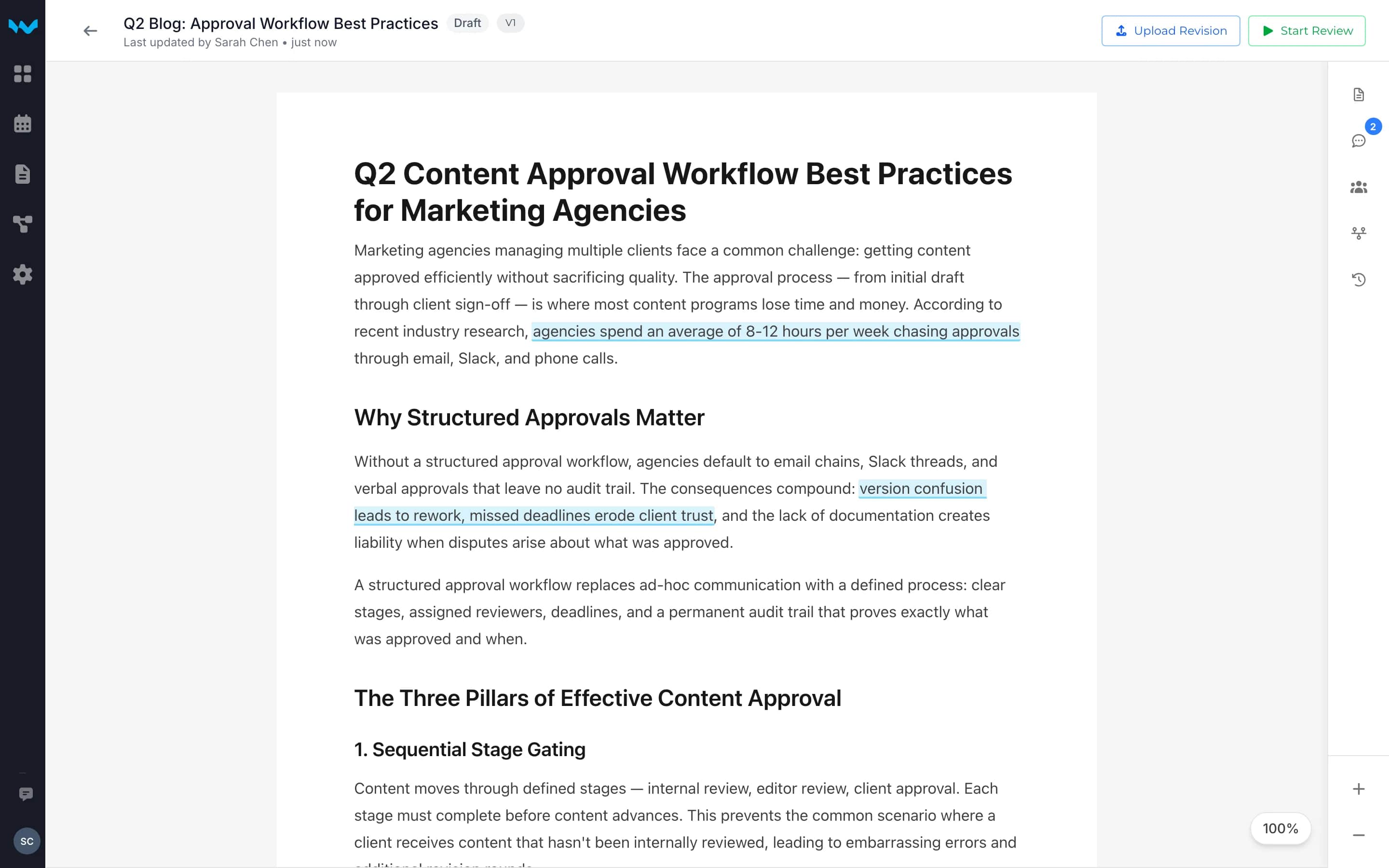
Writerflow document viewer with Upload Revision and Start Review buttons

How It Works

A focused route to the client decision

Submit the identifiable version, invite the named reviewer, and keep their explicit decision connected to the handoff.

1

Upload your content

Upload the document, design, or deliverable you need approved. Set up your approval stages and assign reviewers.

Q1-Campaign-Brief.pdf

Uploaded successfully

2

Generate a magic link

Writerflow creates a unique, time-limited link for each reviewer. Send it via email, Slack, or any channel your client uses.

Magic link
writerflow.app/r/abc123

Expires in 7 days

3

Client reviews and approves

Your client clicks the link, sees the content, leaves inline comments, and approves — all without creating an account or remembering a password.

Approved

Jane Davis · 2 min ago

Why It Matters

Account creation is where approvals go to die

Most approval tools on the market require your clients to create accounts or navigate unfamiliar platforms. And clients resist. They ask you to “just email the file.” That triggers email thread chaos, version confusion, and approval breakdowns that can waste a significant portion of creative team time.

Working context escapes into separate channels

When review moves into email, chat, and calls, the submitted version and decision context can become difficult to retrieve.

The decision can lose its version

Comments and approval can refer to different drafts when the review conversation and submitted version live apart.

One focused place for invited clients to review and respond

The invited reviewer can view, comment, approve, or request changes without joining the agency workspace.

Without Magic Links
"Can you just email me the file?"
"I don't want to create another account."
3 days later: still waiting for feedback
"Which version is the latest?"
With Magic Links
Send magic link to client9:00 AM
Client opens and reviews9:12 AM
Leaves inline comments9:18 AM
Approved9:22 AM

Key Capabilities

Everything your clients need. Nothing they don’t.

Unique per reviewer

Each reviewer gets their own magic link. You know exactly who reviewed, commented, and approved.

Time-limited access

Links expire after 7 days by default. Content stays secure even if a link is shared or forwarded.

Full review capabilities

Magic link reviewers can leave inline comments, approve, or request changes — the same tools your internal team uses.

Automatic notifications

Get notified instantly when a client opens the link, leaves comments, or submits their approval decision.

Secure by design

Cryptographically unique tokens, HTTPS-only, automatic expiration. Each link is single-use per reviewer identity.

Review activity remains available

After a link expires, the review activity available in Writerflow remains subject to the product’s retention and deletion controls.

Give the client one focused place to decide

Magic links let invited clients review the submitted version and make an explicit decision without joining the agency workspace.

Start Free Trial

14-day free trial — no credit card required