For PR & comms agencies

Keep the client decision connected to the PR work.

Writerflow connects the brief and brand voice, written work and revisions, a focused client or legal decision, and the approved-version handoff. Invited reviewers use one link without joining the agency workspace.

Start Free Trial

Your client’s reviewers approve from their inbox — they never create an account.

The Problem

The sign-off scramble is where PR deadlines die

Once it’s out — on the wire, in a reporter’s inbox, under a byline — you can’t take it back. Yet the chain that has to approve it lives in forwarded emails and “see attached v4_FINAL.” Approvals drag on for days while the deadline burns — and crisis and breaking news need everyone signed off in hours, not days.

The embargo nobody released

An embargo set for Thursday 6am, still sitting in the client’s legal review on Tuesday, and the one person who can release it is on PTO. Now it’s not a deadline — it’s a fire.

The release that went dark

It goes into the client’s queue and disappears. You don’t know who’s holding it — legal, the exec, your own writer — until you start pinging people one at a time.

The quote that changed last minute

The exec wants to change her quote after the comms lead already approved the old version. Whose yes is current now? Reconciling that by hand is how the wrong version goes out.

The client added an AI-use rule

A client, publisher, or procurement team asks whether AI was used, who reviewed the work, or what needs to be disclosed. The rule, draft, and approval often live in different places.

How Writerflow Solves It

The one place for the moment before it goes out

Built for written PR work where the agency, client, legal reviewer, and quoted stakeholder may each need a clear place in the route before handoff.

One link, every approver. No logins.

Your client’s comms lead, their GC, the quoted exec — they open the draft from their inbox and approve it right there. Nobody outside your agency creates an account.

Keep the required human review in the route

When a client or policy requires human review of AI-assisted content, route the submitted version to the required reviewer and keep their decision connected to it. Writerflow records the workflow decision; the team or counsel decides what the rule requires.

Know who’s holding it

See exactly who the release is waiting on, and for how long — so you chase the right person, not the whole thread.

Connect the decision to the submitted version

Record the named reviewer, decision, timestamp, and submitted version, then carry that context into the approved handoff. Publishing remains a separate exercised destination step.

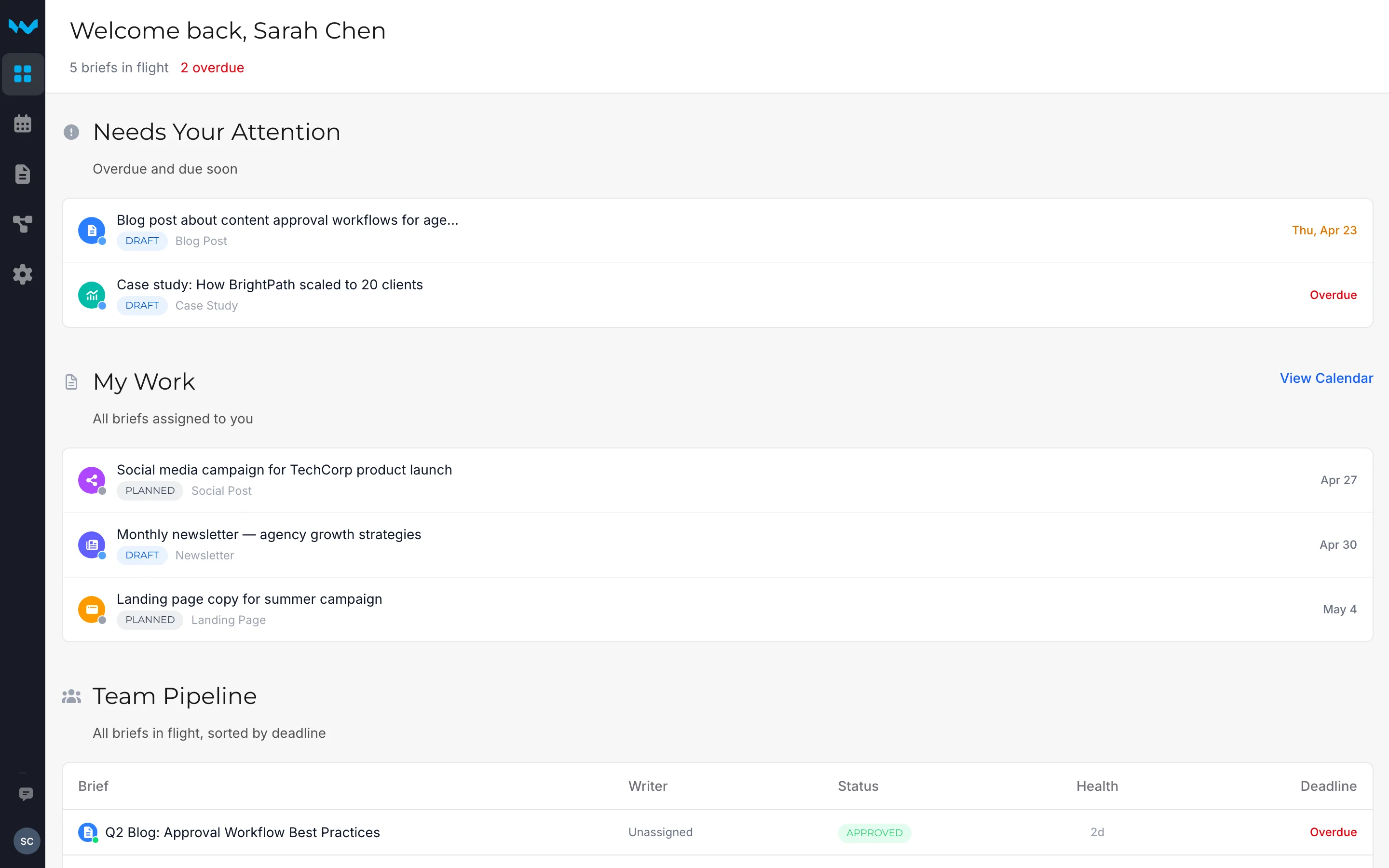
Every release in flight. One view.

See what’s in review, what’s approved, and what’s waiting on a client or legal — without pinging anyone.

Writerflow dashboard showing every release and who each approval is waiting on

Built For PR

Make consequential PR handoffs easier to retrieve

Make the next reviewer visible

See the current review stage and who is expected to act next without reconstructing the route from separate messages.

Keep revision context with the work

When a quote, claim, or release changes, keep that revision context available around the submitted version and decision.

Show the operating route

When a client asks how written work moves from brief to handoff, show the named stages, reviewer, submitted version, and decision record available in Writerflow.

Not another silo to log into

Writerflow replaces the email + Google Docs + spreadsheet-tracker scramble with one place for the moment before it goes out — and stays out of the way of the tools you already use. The sign-off chaos comes off your team’s plate, not one more subscription to babysit.

See whether Writerflow fits your PR content process.

Bring one recent press release, statement, pitch, or article—and any client or publisher rule that affected who had to review it.

Review one PR workflow with the founder

14-day free trial — no credit card required